refreshi

How To Order Food on the Refreshi App in 6 Easy Steps
Refreshi Team · June 2026 · 6 min read
Getting your first Refreshi Surprise Bag is quick. From download to collection, the whole process takes under five minutes. Here's how it works, step by step.
1. Download the app and create your profile
Refreshi is free to download on iOS and Android. Open the app, create a profile with your email, and allow location access so the app can show you stores nearby. The whole setup takes under a minute.
No subscription, no sign-up fee. You only pay when you order a bag.
2. Browse Surprise Bags near you
The home screen shows available Surprise Bags from stores around you. Switch between map view and list view, and filter by category like bakery, restaurant, café, or grocery to find the kind of bag you're after.
Each listing shows the bag price, the store, and the collection window before you commit.
3. Choose a bag and place your order
When you find a bag you want, tap it to see the details and the collection window. If the timing works for you, place the order. You'll see exactly when to collect before you pay.
4. Pay securely in the app
Pay directly in the app through the Peach Payments gateway using your preferred card or digital wallet. There's no cash handled in store and no hidden fees beyond the bag price.
5. Get your order confirmation
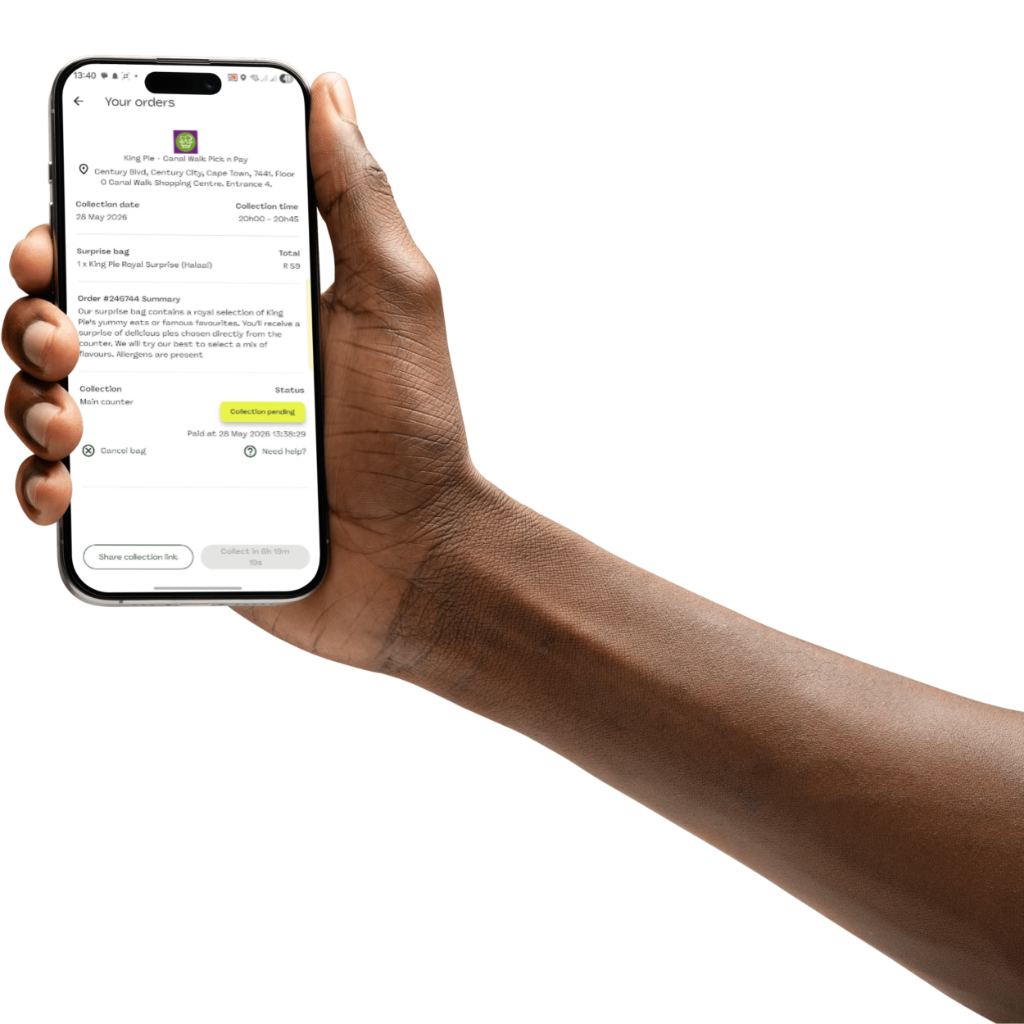
Once your payment goes through, you'll receive an Order Confirmation with a unique order code. This code is what you'll show in store to verify your order.
For more detail on cancellations, missed collections, or collecting on someone else's behalf, see our Collection & Orders FAQs.
"The collection window is firm. Stores are trusting the app with their surplus, so collecting on time keeps the model working for everyone."
6. Collect during your window
Arrive at the store during your collection window and show your order code. Use the in-app Swipe to Collect feature to verify your order with the store, and take your Surprise Bag.
Can't collect it yourself?
If you can't make the collection window, the Share Collection feature lets you send your collection link to someone else. Family, friends, or anyone who could use the bag can collect on your behalf.
Plans change. You can cancel your order via the app up to 2 hours before your collection window starts, no questions asked.
Get your first Surprise Bag today.
Download the free Refreshi app and start saving food — and money — from stores near you.
More from the Refreshi blog
What's Actually Inside a Refreshi Surprise Bag?
First-timer nerves are real. We get it. Here's exactly what to expect inside your Surprise Bag.
4 min readTips & TricksHow to Save R1,000+ a Month on Food Without Compromising on Quality
With food inflation biting, here are the strategies that actually work.
6 min readFood Waste FactsBest Before vs Use By: What Those Dates Actually Mean
Most South Africans throw away perfectly good food because of a label.
5 min read

We use cookies to improve your experience and measure our impact. Read our Cookie Policy.